Service overview
The ReCaS datacenter provides a cloud infrastructure based on OpenStack for provisioning virtual machines (VMs).
VMs are not intended as the primary tool for running computational workloads. For that type of use, services such as HTCondor and Kubernetes are, in most cases, the more suitable solution.
Virtual machines are instead primarily intended for the delivery of long-running services, such as databases, web applications, and other persistent services.
Access to the cloud infrastructure can be requested in two distinct ways.
Direct access to the OpenStack platform
This mode is intended for more experienced users, or for those who need to manage multiple virtual machines.
It is also the mode to request if you want to obtain an account enabled to access an already existing project of this kind on the platform.
In this case, a dedicated project is set up within the cloud platform, to which the user is granted direct access. The creation and management of VMs therefore take place autonomously, within the assigned quotas in terms of CPU, RAM, storage, and number of machines.
This approach offers greater flexibility and allows multiple instances to be administered independently. However, all activities related to the creation, configuration, and management of the virtual machines remain the responsibility of the user, in compliance with the security guidelines defined by the datacenter.
Access to a single VM
This mode is intended for less experienced users or for those who need to use only one virtual machine.
In this scenario, VM creation is carried out directly by the datacenter staff, who then provide the user with the information needed to access it. The user still has administrative privileges on the machine, but does not have to deal with the basic infrastructure aspects, such as networking, initial operating system configuration, storage provisioning, and similar activities.
Scope of this guide
This guide describes the procedure related to the second case, that is, requesting access to a single virtual machine.
For the procedure related to requesting an OpenStack account, you can consult the dedicated guide available at this address.
How to submit a request
The request for access to the service must be submitted ONLY through the credential request form.
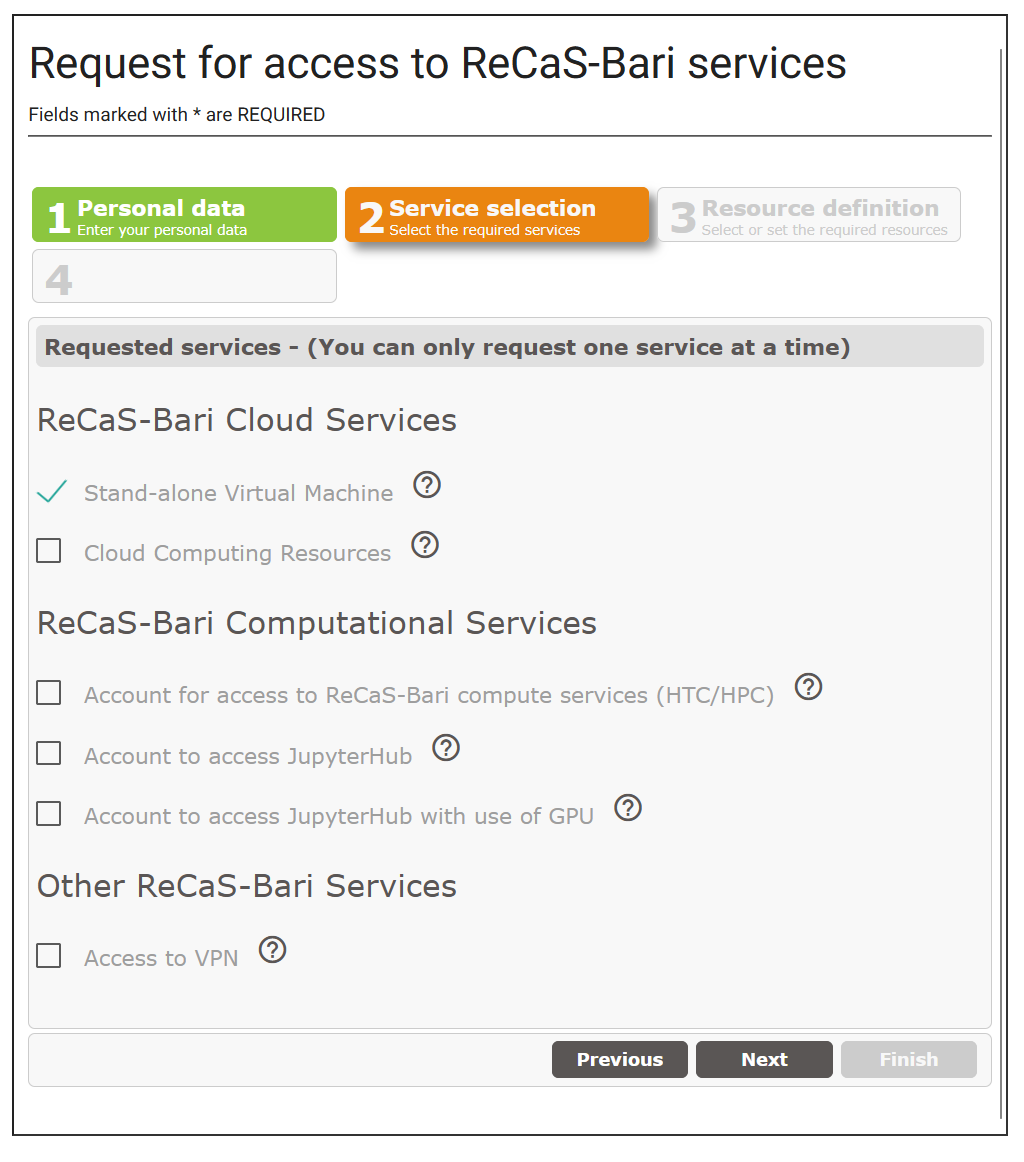
Within the request, select the option "Stand-alone Virtual Machine", as shown in the figure:
Warning
Virtual machines equipped with a public IP must comply with specific security requirements established by GARR, the provider of the public IP addresses used by the datacenter. For this reason, such VMs must be intended exclusively for production environments, in which the exposed software has already been adequately tested.
The exposure of unencrypted services, such as HTTP instead of HTTPS, is also not allowed.
In the event of a report from GARR regarding the presence of a security vulnerability, the virtual machine may be decommissioned 24 hours after the notification sent to the responsible user, unless the user resolves the vulnerability within that time.
For development environments, or in cases where it is not necessary to expose a service on a public IP, it is therefore necessary to request a VM equipped with a private IP. Access to such machines is possible only for users authorized for the dedicated VPN service.
VPN access can also be requested at a later time, once the notification confirming the creation of the VM has been received.
At the end of the procedure, an automatic confirmation email will be sent and is required to complete the request and set the password. Only after completing this step as well will the request be correctly acquired by our systems.
If the confirmation email does not arrive, it is necessary to contact user support, describing the problem encountered.
The VM will be created only after the request has been signed off by the center's technical coordinators. This phase includes administrative and bureaucratic checks and may require, on average, a few working days. Once the procedure is complete, a further notification email will be sent.