Service overview
Enabling the HTC/HPC service provides immediate access to the HTCondor batch system and also allows, upon request, access to the JupyterHub and Kubernetes services.
HTCondor
HTCondor is the service most commonly used in our datacenter for running computational workloads.
HTCondor is a batch system, that is a software designed to manage the execution of users' programs in the form of jobs.
Instead of manually running a program on a specific machine, the user prepares a submission file containing the description of the work to be executed, such as the executable, input files, and requested resources, and submits it to HTCondor.
Once submitted, the job is placed in a queue and automatically assigned to a compatible compute node as soon as the necessary resources become available. The system manages the entire execution lifecycle of the job and allows its status to be monitored, as well as allowing the output and log files to be retrieved.
How to submit a request
The request for access to the service must be submitted ONLY through the credential request form.
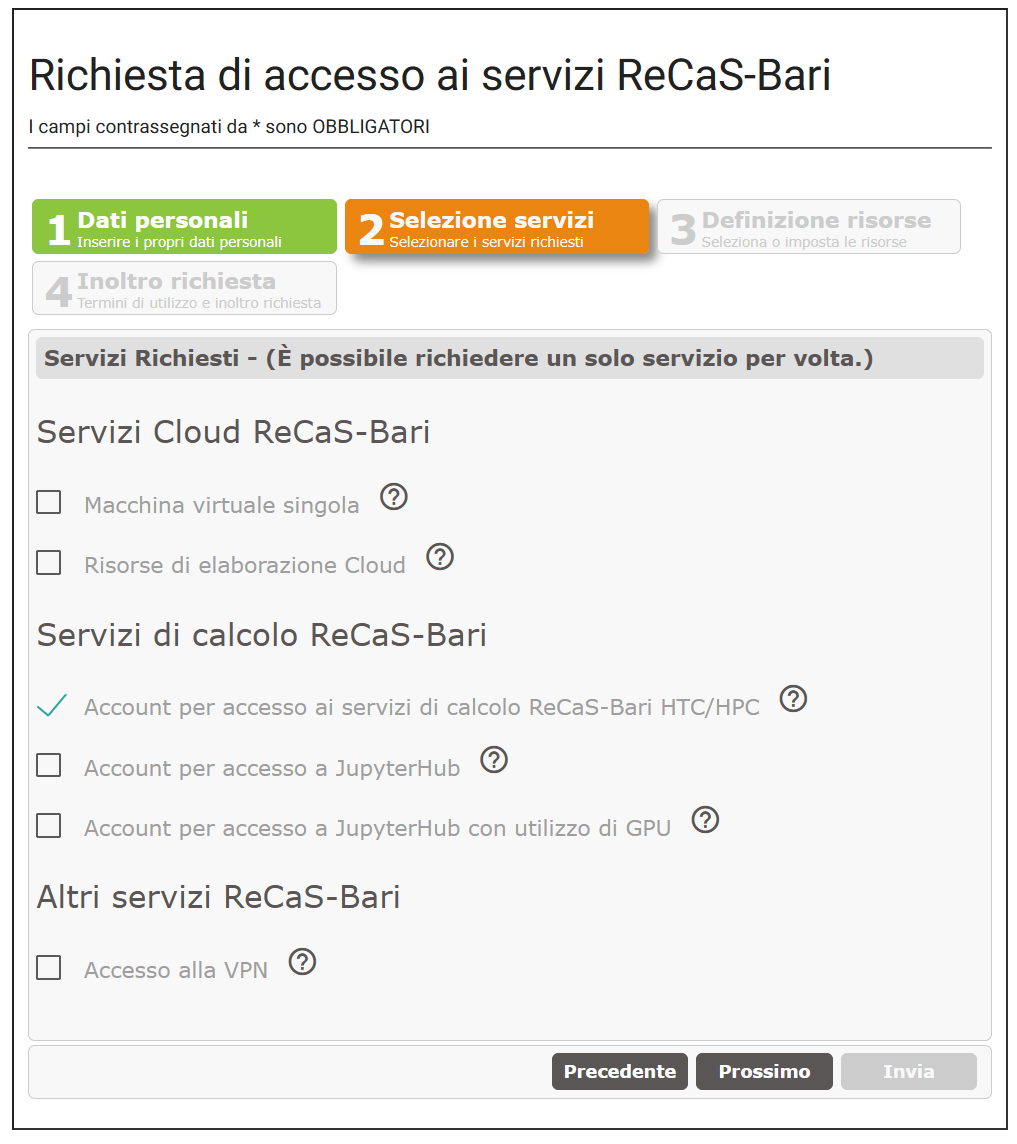
Within the request, select the option "Account for access to ReCaS-Bari compute services (HTC/HPC)", as shown in the figure:
At the end of the procedure, an automatic confirmation email will be sent and is required to complete the request and set the password. Only after completing this step as well will the request be correctly acquired by our systems.
If the confirmation email does not arrive, it is necessary to contact user support, describing the problem encountered.
The account will be effectively enabled and operational only after it has been signed off by the center's technical coordinators. This phase includes administrative and bureaucratic checks and may require, on average, a few working days. Once the procedure is complete, a further automatic notification email will be sent.